Getting Started
This quick start tutorial sets up a single node IBMMQ and shows how to install and configure the library.
Requirements
You need Java JRE installed (Java 17 or later).
Start IBMMQ
Start IBMMQ on your local machine with all the defaults.
Now mq images are available in the IBM Container Registry, you ca check for latest versions with skopeo
skopeo list-tags docker://icr.io/ibm-messaging/mq
or navigating your web in the path:
-
Choose the desired version

-
Select containers from menu

-
Select reference from menu

-
Select Advanced for Developers container image

-
Now you can see available images
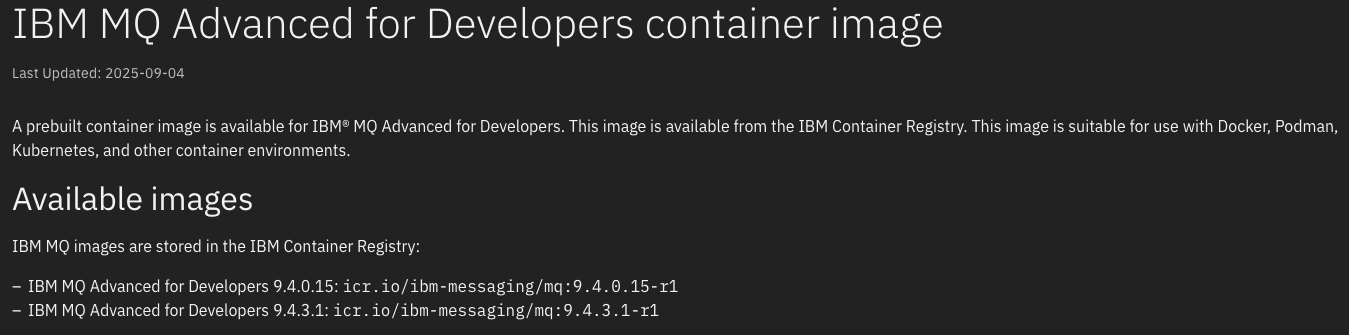
You can use podman docker
You should create some credential files like in a folder:
mqcreds\
  mqAdminPassword
  mqAppPassword
Then pass the directory
docker run -e LICENSE=accept -e MQ_QMGR_NAME=QM1 -p 1414:1414 -p 9443:9443 -d --name ibmmq -v ./mqcreds:/run/secrets icr.io/ibm-messaging/mq:9.4.5.1-r1
If you prefer to use an older image (last version was 9.2.4) located at docker, it can be done with:
docker run -e LICENSE=accept -e MQ_QMGR_NAME=QM1 -p 1414:1414 -p 9443:9443 -d --name ibmmq -e MQ_APP_PASSWORD=passw0rd ibmcom/mq
Then you can access to web console
User: admin
Password: The password set in mqAdminPassword file or passw0rd if you are using the dockerhub image
Spring Boot Application
You can use our Scaffold Clean Architecture Plugin to acelerate the setup and get a clean architecture structure.
Change 4.5.0 with latest plugin
version ->

- Mac OS / Linux
- Windows
mkdir commonsjms-quick-start
cd commonsjms-quick-start
echo "plugins {
    id 'co.com.bancolombia.cleanArchitecture' version '4.5.0'
}" > build.gradle
gradle ca --name=CommonsJMSQuickStart
./gradlew gda --type mq
./gradlew gep --type mq
./gradlew bootRun
PowerShell
# Create a directory and navigate into it
New-Item -ItemType Directory -Name "commonsjms-quick-start"
Set-Location -Path "commonsjms-quick-start"

# Create the build.gradle file with the specified content
@"
plugins {
    id 'co.com.bancolombia.cleanArchitecture' version '4.5.0'
}
"@ | Set-Content -Path "build.gradle"

# Run the Gradle commands
gradle ca --name=CommonsJMSQuickStart
.\gradlew gda --type mq
.\gradlew gep --type mq
.\gradlew bootRun
CMD
@echo off

:: Create a directory and navigate into it
mkdir commonsjms-quick-start
cd commonsjms-quick-start

:: Create the build.gradle file with the specified content
(
echo plugins {
echo     id 'co.com.bancolombia.cleanArchitecture' version '4.5.0'
echo }
) > build.gradle

:: Run the Gradle commands
gradle ca --name=CommonsJMSQuickStart
gradlew gda --type mq
gradlew gep --type mq
gradlew bootRun