Request Reply
This is a common usage communication pattern, Commons JMS has a basic implementation of it, in which there are two components that participates in the communication model. There is a component that acts as Server and another that acts as Client, this communication is made over two Queues one for requests and another for responses.
Te Client sends a message to the request queue, the Server listen from request queue and replies to response queue, which is listened by Client.
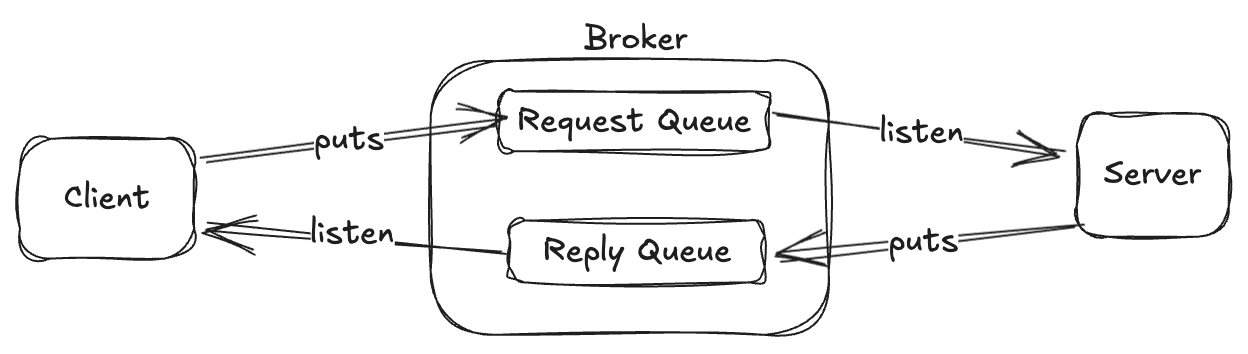
In this communication pattern there are some challenges, if the system has a single instance of Client, It is enough just to have a Request Queue and a Response Queue and the Client can listen all replies from the Response Queue because this instance is the interested in the answer.
If the system has multiple instances of Client, in the below image may occurs that green instance make the request and the response be listened in the red instance, If your system may accept it, you have a completelly async system. And in this case you don't need to use ReqReply, you should use a MQSender and a MQListener separately.
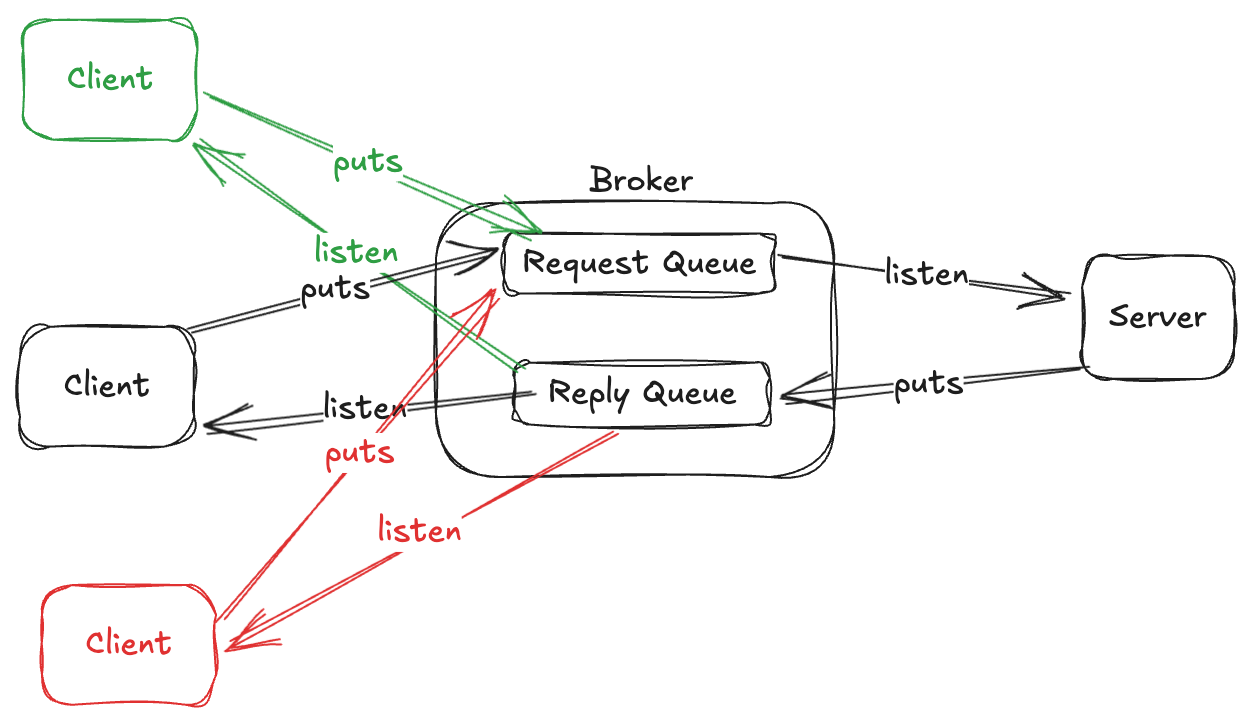
Common Scenario
But imagine that you need to correlate the responses in the same instance that makes the request, it is a common pattern when encapsulates an async system in a sync request, for example:
In the below image, the black instance of Client makes the request and we need to guarantee that the answer sent by Server be received by the same black instance.
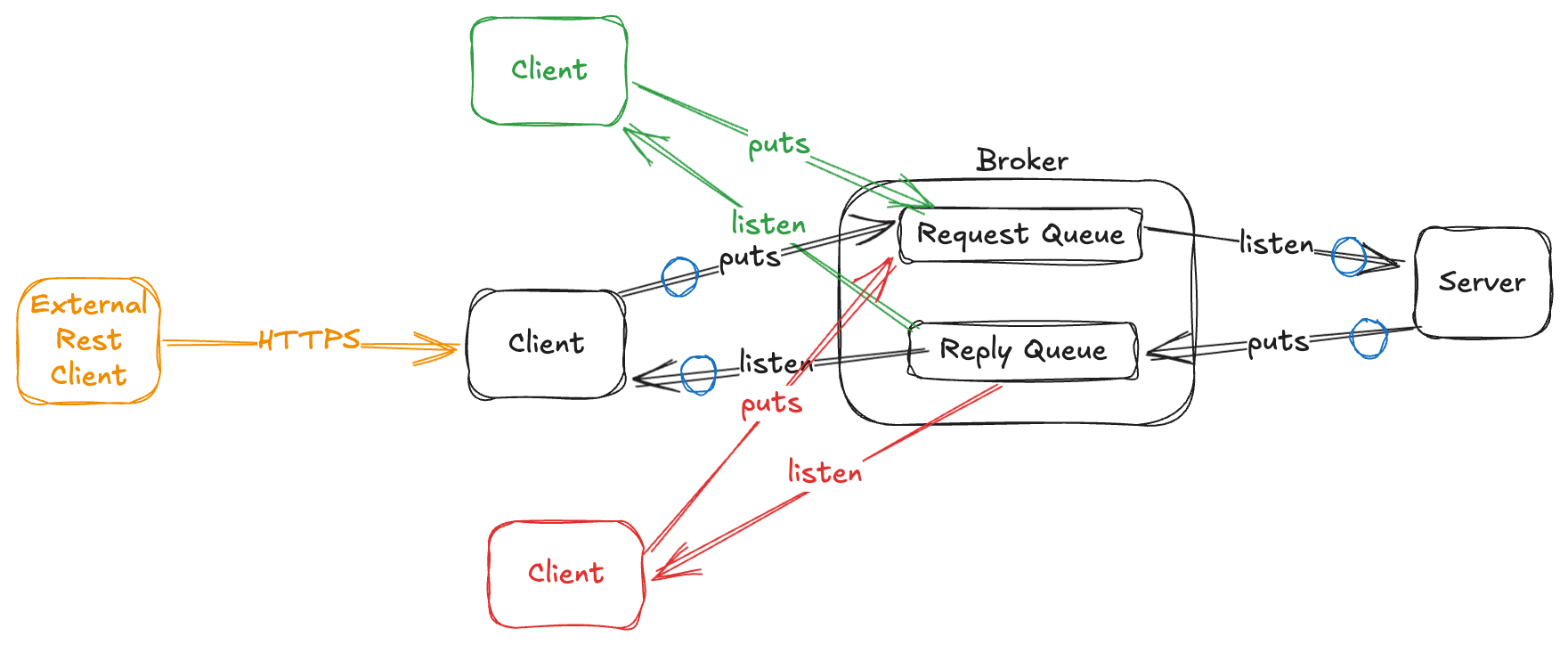
Pattern Solutions
To solve this challenge there are some approaches that can be used, each of them will be detailed in a separate section
Considerations
- Multiple Queue Manager or Clustering:
In this scenario you should guarantee that:
- the application that attends the request follow the replyTo header.
- set to
truethe propertycommons.jms.input-queue-set-queue-managerto identify and set the queue manager to the response queue (this guarantees that the application that attends the request send the response to the specific queue manager). - Then the same like with a single Queue Manager